Deep Links
In the context of desktop applications, deep linking consists of using a uniform resource identifier (URI) that links to a specific location within a desktop application rather than simply launching the app.
By using hooks, dynamic external links and deep links, you can connect Mina diagrams to the external world.
For example, you could use an dynamic external links to link an architectural element within your diagram to its corresponding service on your monitoring platform. A deep link could then be used to open the architectural diagram or dependency table in Mina directly from that service on the monitoring platform.
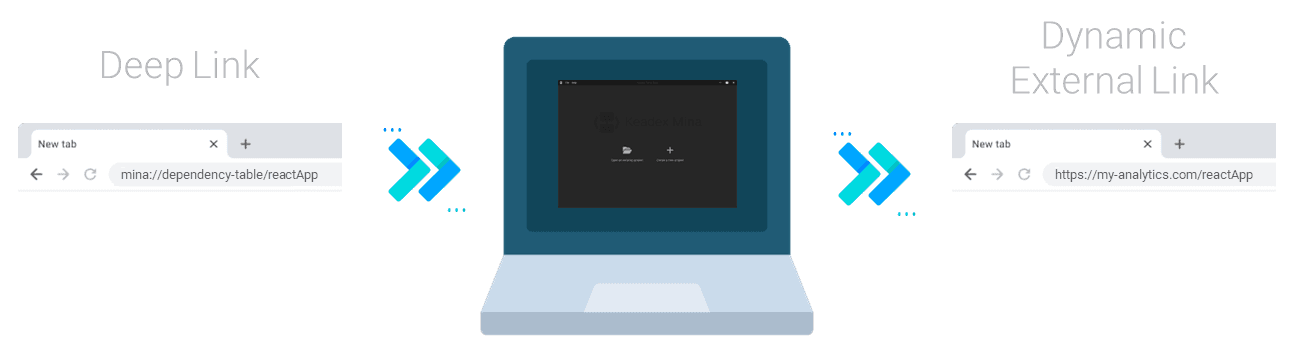
Available Deep Links
Certain deep links may require an active, open project in Mina to function correctly.
Open Diagram
Opens in Mina the given diagram.
mina://open-diagram/<DIAGRAM_LINK>

## Example
## mina://open-diagram/system-context/my-diagram
Parameters
<DIAGRAM_LINK> (required): Link of the diagram. See the internal links documentation for the details.
Dependency Table
Opens in Mina the dependency table of the architectural element with the given alias.
mina://dependency-table/<ALIAS>

## Example
## mina://dependency-table/reactApp
Parameters
<ALIAS> (required): Alias of the architectural element.
Open Remote Diagram
Opens in Mina a remote diagram.
mina://remote-diagrams/<PROJECT_ROOT_URL>/<DIAGRAM_URL>/<GH_TOKEN>

## Example
## mina://remote-diagrams/aHR0cHM6Ly9yYXcuZ2l0aHVidXNlcmNvbnRlbnQuY29tL2tlYWRleC9rZWFkZXgvbWFpbi9hcHBzL2tlYWRleC1kaWFncmFtcw==/aHR0cHM6Ly9yYXcuZ2l0aHVidXNlcmNvbnRlbnQuY29tL2tlYWRleC9rZWFkZXgvbWFpbi9hcHBzL2tlYWRleC1kaWFncmFtcy9kaWFncmFtcy9jb250YWluZXIva2VhZGV4LW1pbmE=
Parameters
<PROJECT_ROOT_URL> (required): URL of the Keadex Mina project root, encoded to Base64<DIAGRAM_URL> (required): URL of the Keadex Mina diagram, encoded to Base64<GH_TOKEN> (required): GitHub API Token
Usage
Generating a "Open Diagram" deep link
- Open a diagram in Mina
- Click on the icon in the top bar
- The deep link will be copied to the clipboard
Generating a "Dependency Table" deep link
- Open the Dependency Table feature
- Fill in the "Diagram Element Alias" input field
- Click on the "Share Deep Link" button
- The deep link will be copied to the clipboard
Generating a "Open Remote Diagram" deep link
- Open the Remote Diagram feature from the home screen
- Fill in the required fields
- Click on the "Copy Deep Link" button
- The deep link will be copied to the clipboard
